
Item request has been placed!
×
Item request cannot be made.
×
 Processing Request












Book Exhibition
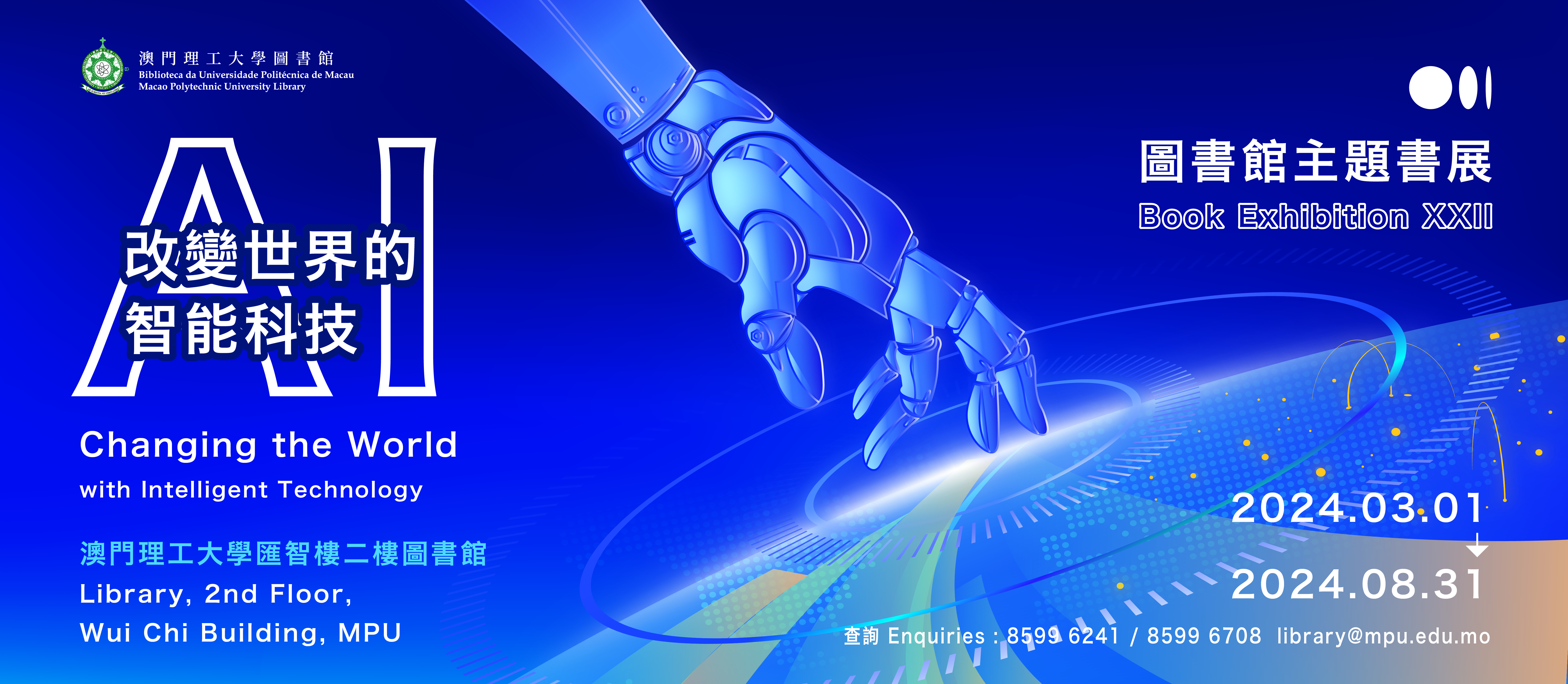
BOOK EXHIBITION XXII
AI - Changing the World with Intelligent Technology
01/03/2024 ‒ 31/08/2024
Library, 2nd Floor, Wui Chi Building
Workflow:
Published
Latest News
Tue, April 2ndNEW TRIAL DISSERTATION LIBRARY : World Dissertation Library (WDL)
Notice 006-2024
Read MoreUpcoming Events
No upcoming events currently.
Main Library
Sunday
09:00 - 23:00
Monday
09:00 - 22:00
Tuesday
09:00 - 22:00
Wednesday
09:00 - 22:00
Thursday
09:00 - 22:00
Friday
09:00 - 22:00
Saturday
09:00 - 23:00
Address
2nd Floor, Wui Chi Building, Macao Polytechnic University, Rua de Luis Gonzaga Gomes, Macao, China.
Notes
* Closed on Public Holidays.
Phone
(853) 8599-6241
Fax
(853) 2870-2076
Email
Messaging
WhatsApp No: +853 6650-5985
WeChat ID: MPU-Library
Lam Kan Special Collection
Sunday
Closed
Monday
Open by Appointment
Tuesday
Open by Appointment
Wednesday
Open by Appointment
Thursday
Open by Appointment
Friday
Open by Appointment
Saturday
Closed
Address
2nd Floor, Chi Un Building, Macao Polytechnic University, Rua de Luis Gonzaga Gomes, Macao, China.
Notes
Closed on Public Holidays.
Phone
(853) 8599-6241
Email
Library (Taipa Campus)
Sunday
09:00 - 23:00
Monday
09:00 - 20:00
Tuesday
09:00 - 20:00
Wednesday
09:00 - 20:00
Thursday
09:00 - 20:00
Friday
09:00 - 20:00
Saturday
09:00 - 23:00
Address
1st Floor, Pearl Jubilee Building, Taipa Campus, Macao Polytechnic University, Avenida Padre Tomás Pereira, Taipa, Macao, China.
Notes
Closed on Public Holidays.